
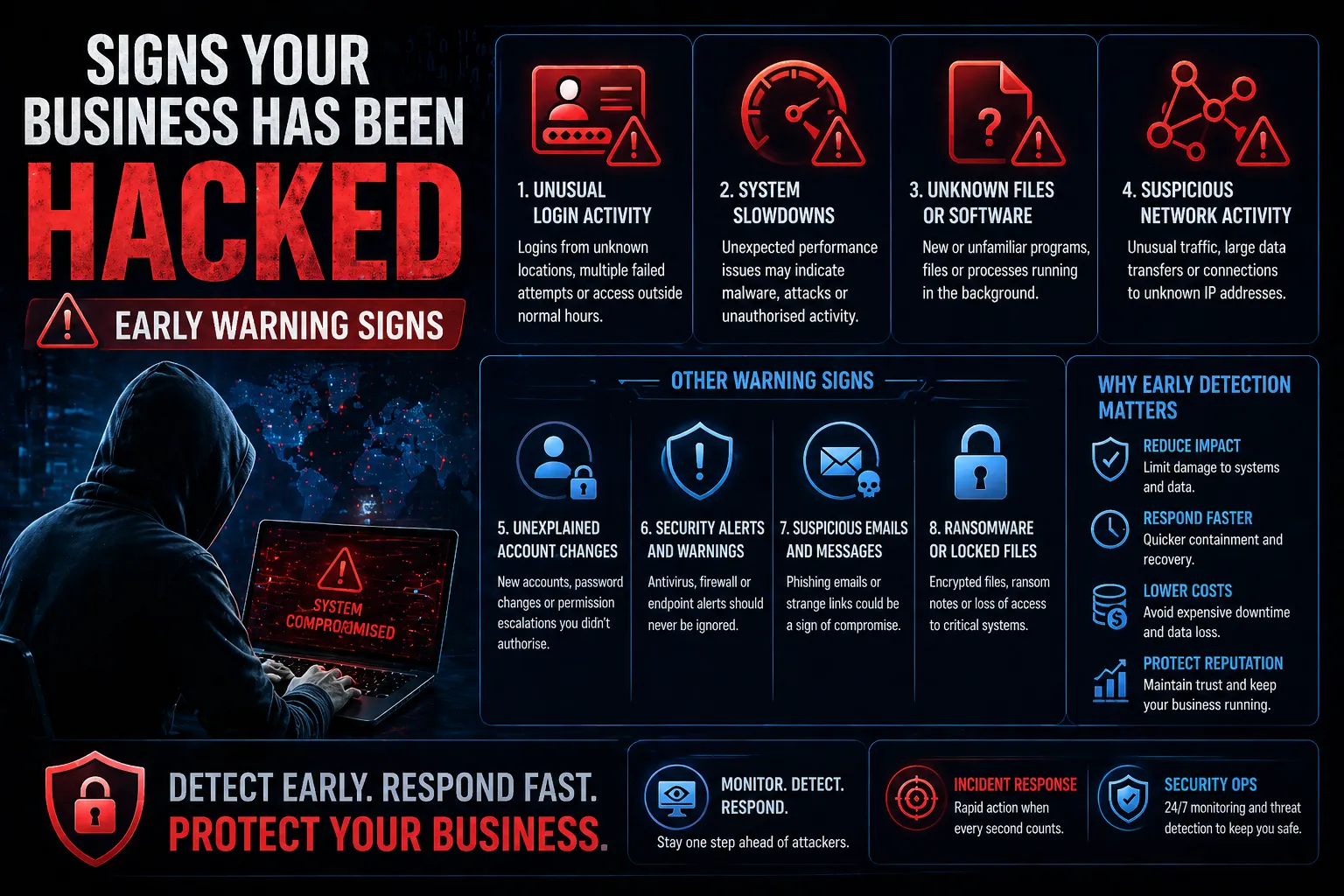
What are the early warning signs of a cyber incident? Common indicators include unusual login activity, unexpected changes to user accounts or permissions, suspicious network traffic, unfamiliar software or files, unexplained system performance issues, security alerts, and unusual data transfers.
A cyber incident does not always begin with ransomware, a major outage or an obvious breach. Early signs can be subtle and may appear in user accounts, endpoints, applications, network traffic, security logs or email systems.
Recognising these early warning signs of a cyber incident can give your organisation an opportunity to investigate suspicious activity, contain a potential compromise and reduce the impact before an incident escalates.
In this guide, we explain the key signs of a cyber incident, what they can indicate, and what your organisation should do when suspicious activity is detected.
Signs of a Cyber Attack
Signs of a cyber attack are unusual behaviours or system changes that indicate unauthorised access or malicious activity.
These signs can appear across systems, networks and user accounts.
Common indicators include:
- Unexpected system behaviour
- Unusual login activity
- Slow performance or outages
- Unknown files or programs
- Suspicious network traffic
Identifying these signs early is critical to limiting damage.
1. Unusual Login Activity
One of the earliest signs of a cyber attack is suspicious login behaviour.
Examples:
- Logins from unfamiliar locations
- Multiple failed login attempts
- Access outside normal business hours
This may indicate compromised credentials or unauthorised access.
2. Unexpected System Slowdowns
If systems suddenly become slow or unresponsive, it could be due to malicious activity.
Possible causes:
- Malware running in the background
- Cryptocurrency mining
- Distributed denial-of-service (DDoS) activity
Performance issues should always be investigated.
3. Unknown Files or Software
Attackers often install tools to maintain access or move within a network.
Watch for:
- New or unfamiliar programs
- Unexpected file changes
- Files appearing in unusual locations
These may indicate malware or unauthorised activity.
4. Suspicious Network Activity
Unusual network traffic can be a strong indicator of compromise.
Examples:
- Large amounts of outbound data
- Connections to unknown IP addresses
- Unusual internal traffic patterns
This may indicate data exfiltration or lateral movement.
5. Unexplained Account Changes
Changes to user accounts or permissions can signal a breach.
Look for:
- New admin accounts
- Password changes without authorisation
- Permission escalations
Attackers often modify accounts to maintain access.
Signs of a Computer Hack Attack
MFA Warnings
Receiving repeated multi-factor authentication (MFA) requests that you did not initiate can be a warning sign that someone is attempting to access your account using compromised credentials.
This may appear as:
- Unexpected MFA push notifications
- Authentication requests from unfamiliar locations
- Login approval requests when you are not signing in
- Password reset notifications you did not request
Do not approve unexpected MFA requests. Investigate the associated account and consider changing its password and revoking active sessions.
Unexpected Email Behaviour
Unexpected email activity can indicate that an account has been compromised.
Warning signs can include:
- Emails appearing in your Sent folder that you did not send
- Unexpected forwarding rules
- Messages being deleted or moved automatically
- Password-reset emails you did not request
- Contacts receiving suspicious messages from your account
- Unexpected changes to email account settings
Attackers may compromise email accounts to steal information, impersonate employees or conduct business email compromise.
Security Tools Suddenly Stop Working
Security controls being disabled, altered or behaving unexpectedly can be an important warning sign of a cyber incident.
Watch for:
- Antivirus or endpoint protection being disabled
- Firewall settings changing unexpectedly
- Logging being turned off
- Security policies being modified
- Monitoring agents disappearing from endpoints
- Unexpected administrator changes
Attackers may attempt to weaken security controls to avoid detection or maintain access.
Australian Cyber Security Centre guidance specifically discusses centralised monitoring, high-fidelity security signals, behavioural analysis, anomaly detection and alerting as important elements of detecting potential compromise.
Indicators of Compromise
Indicators of compromise (IOCs) are technical or behavioural clues that may indicate malicious activity or that a system, account or network has been compromised.
Examples can include:
- Known malicious IP addresses or domains
- Suspicious files or hashes
- Unexpected processes
- Unusual authentication activity
- Suspicious network connections
- Unauthorised account changes
- Unexpected data transfers
- Changes to system configuration
An individual indicator does not necessarily prove that a cyber incident has occurred. Security teams generally investigate indicators in context and correlate activity across endpoints, accounts, applications and network systems.
Do These Signs Mean You’ve Been Hacked?
Not necessarily.
An unusual login, slow computer or security alert can have a legitimate explanation. However, unexpected or unexplained activity should be investigated, particularly when multiple indicators occur together.
A potential indicator becomes more significant when it is correlated with other evidence, such as suspicious authentication activity combined with unusual network traffic or unexpected account changes.
The absence of obvious warning signs also does not prove that an organisation has not been compromised. Some cyber incidents can remain difficult to detect without appropriate logging, monitoring and threat detection capabilities.
6. Security Alerts and Warnings
Security tools often detect early signs of compromise.
Examples:
- Antivirus or endpoint alerts
- Firewall warnings
- Suspicious activity notifications
Ignoring these alerts can allow attacks to progress.
7. Ransomware or Locked Files
In more advanced stages, attacks may become obvious.
Indicators include:
- Files being encrypted
- Ransom notes appearing
- Loss of access to systems
At this point, immediate action is required.
Why Early Detection Matters
The earlier a cyber attack is detected, the less damage it can cause.
Key benefits of early detection:
- Reduced impact – Limits damage to systems and data
- Faster response – Enables quicker containment
- Lower recovery costs
- Improved business continuity
What to do During a Cyber Security Attack
1. Don’t ignore the alert
Treat unexplained activity as something that requires investigation.
2. Avoid deleting evidence
Preserve relevant logs, alerts, emails, files and system information where possible.
3. Isolate affected systems where appropriate
If a device appears compromised, isolation may help prevent further spread.
4. Secure affected accounts
Reset credentials and revoke suspicious sessions where appropriate.
5. Investigate the scope
Determine which accounts, devices, applications and data may have been affected.
6. Escalate to cyber security professionals
A suspected compromise may require specialist incident response and forensic investigation.
How This Fits into Cyber Security Strategy
Detecting cyber attacks requires a combination of monitoring and response capabilities.
- Security Operations for continuous monitoring
- Incident Response for rapid containment and recovery
- Threat detection and analysis
- Log monitoring and alerting
These capabilities help organisations detect and respond to threats before they escalate.
Conclusion
So, what are the signs of a cyber attack?
They are early warning signals that indicate suspicious activity, compromised systems or unauthorised access.
By recognising these signs early, organisations can:
- Detect attacks faster
- Reduce damage
- Protect sensitive data
- Strengthen overall security posture
FAQs
What are the first signs of a cyber attack?
Unusual logins, system slowdowns and suspicious activity are common early indicators.
How do you know if your business has been hacked?
Signs include unknown files, account changes, security alerts and unusual network activity.
What should you do if you suspect a cyber attack?
Isolate systems, secure accounts and initiate an incident response process immediately.
Can cyber attacks go unnoticed?
Yes — many attacks remain undetected for long periods without proper monitoring.