Introduction
Recovering from a cyber attack is not just about stopping the threat — it’s about restoring systems, securing data and getting your business back to normal.
But one of the most common questions organisations ask is: how long does it actually take to recover?
The answer depends on several factors, including the type of attack, the level of damage and how prepared your business is.
This guide explains typical cyber attack recovery times, what affects them and how to speed up recovery.
Cyber Attack Recovery Time Explained
Cyber attack recovery time refers to how long it takes for an organisation to fully restore systems, operations and security after a cyber incident.
Recovery is not a single step — it involves multiple stages, from containment to full restoration.
Typical phases include:
- Detection and identification
- Containment of the threat
- Eradication of malicious activity
- System recovery and restoration
- Post-incident review and improvement
The total recovery time depends on how quickly each stage is completed.
How Long Does Recovery Take?
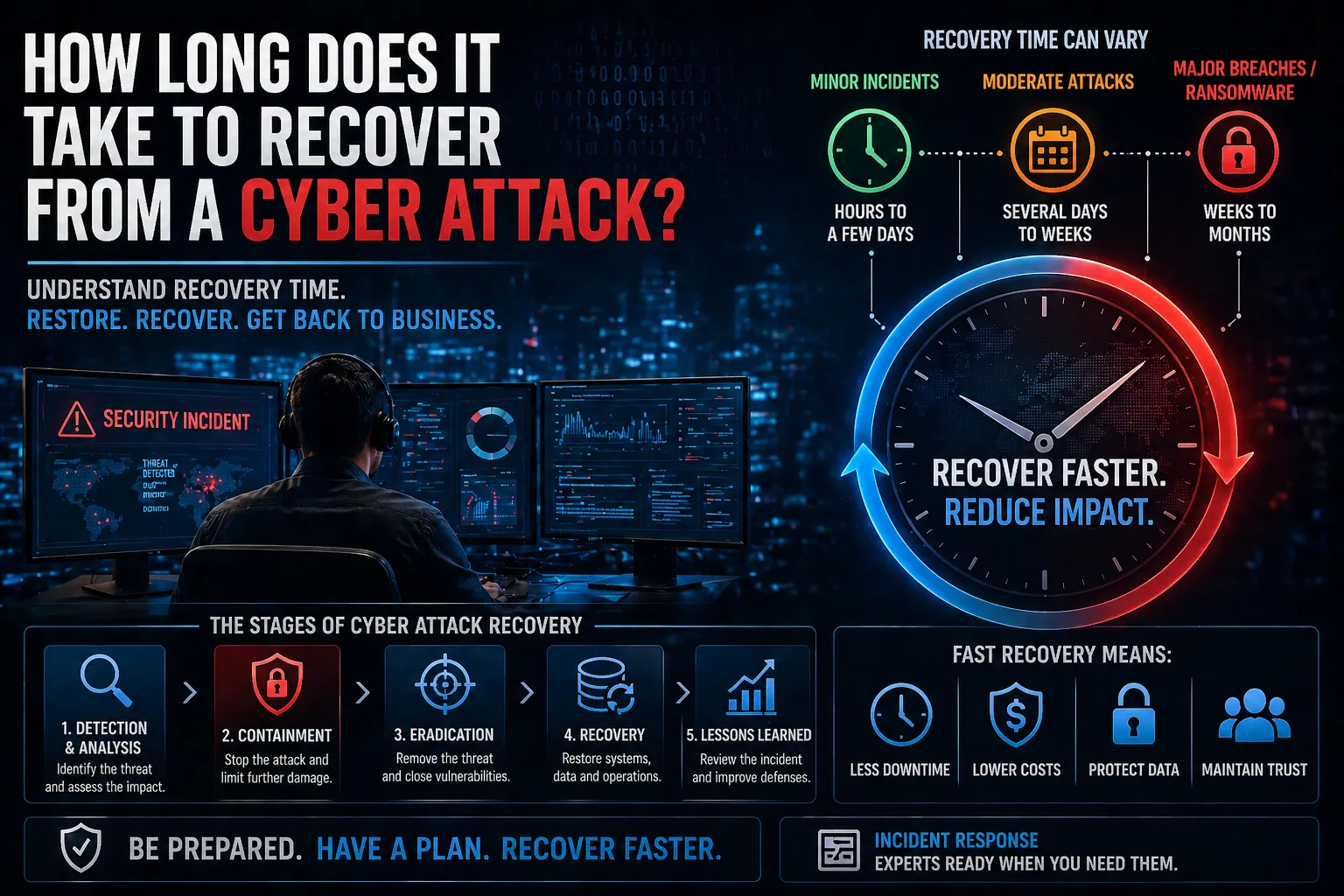
Recovery time can vary significantly depending on the severity of the attack.
General timeframes:
- Minor incidents – Hours to a few days
- Moderate attacks – Several days to weeks
- Major breaches or ransomware – Weeks to months
In some cases, full recovery — including reputational and operational impact — can take even longer.
What Affects Cyber Attack Recovery Time?
Several factors influence how quickly a business can recover.
Key factors include:
- Type of attack – Ransomware, data breach or system compromise
- Detection speed – How quickly the attack is identified
- Preparedness – Incident response plans and procedures
- System complexity – Size and structure of the environment
- Backup availability – Access to clean, recent backups
Organisations with strong preparation recover significantly faster.
The Stages of Cyber Attack Recovery
1. Detection and Analysis
Identifying the attack and understanding its scope.
2. Containment
Limiting the spread of the attack to prevent further damage.
3. Eradication
Removing malware, unauthorised access and vulnerabilities.
4. Recovery
Restoring systems, data and operations.
5. Lessons Learned
Reviewing the incident to improve future security.
Why Fast Recovery Matters
Delays in recovery can have serious consequences for businesses.
Key risks of slow recovery:
- Operational downtime – Disrupts business continuity
- Financial loss – Lost revenue and recovery costs
- Data loss – Permanent loss of sensitive information
- Reputational damage – Loss of customer trust
How to Reduce Recovery Time
Organisations can significantly reduce recovery time with the right preparation.
- Develop and test an incident response plan
- Implement continuous monitoring and detection
- Maintain secure, up-to-date backups
- Apply strong access controls and segmentation
- Train staff to recognise and report threats
Preparation is the biggest factor in reducing recovery time.
How Recovery Fits into Cyber Security Strategy
Recovery is a critical part of a broader cyber security strategy.
It works alongside:
- Incident Response for containment and recovery
- Threat detection and monitoring
- Security operations and alerting
- Backup and disaster recovery planning
These elements ensure organisations can respond quickly and recover effectively.
Conclusion
So, how long does it take to recover from a cyber attack?
It depends on the severity of the incident and how prepared your organisation is.
With the right processes in place, businesses can:
- Reduce downtime
- Limit financial impact
- Restore operations faster
- Strengthen future resilience
FAQs
How long does it take to recover from a cyber attack?
Recovery can take anywhere from hours to months depending on the severity and preparedness of the organisation.
What is the biggest factor affecting recovery time?
Preparedness, including incident response planning and backups, has the biggest impact.
Can businesses recover quickly from ransomware?
Yes, if they have secure backups and a tested recovery plan in place.
How can you reduce cyber attack recovery time?
By improving detection, response processes, backups and overall security posture.