
Introduction
Microsoft Azure is one of the most widely used cloud platforms, offering flexibility, scalability and powerful services. However, like all cloud environments, security depends heavily on how it’s configured.
Many organisations assume Azure is secure by default — but misconfigurations, poor access control and lack of monitoring can introduce serious risks.
This guide covers the most important Azure security best practices to help businesses protect their cloud environments and reduce exposure to cyber threats.
Understanding the Azure Shared Responsibility Model
Before implementing security controls, it’s essential to understand the shared responsibility model:
- Microsoft secures the cloud infrastructure
- You are responsible for securing your data, applications and configurations
Failing to manage your responsibilities is one of the most common causes of cloud security incidents.
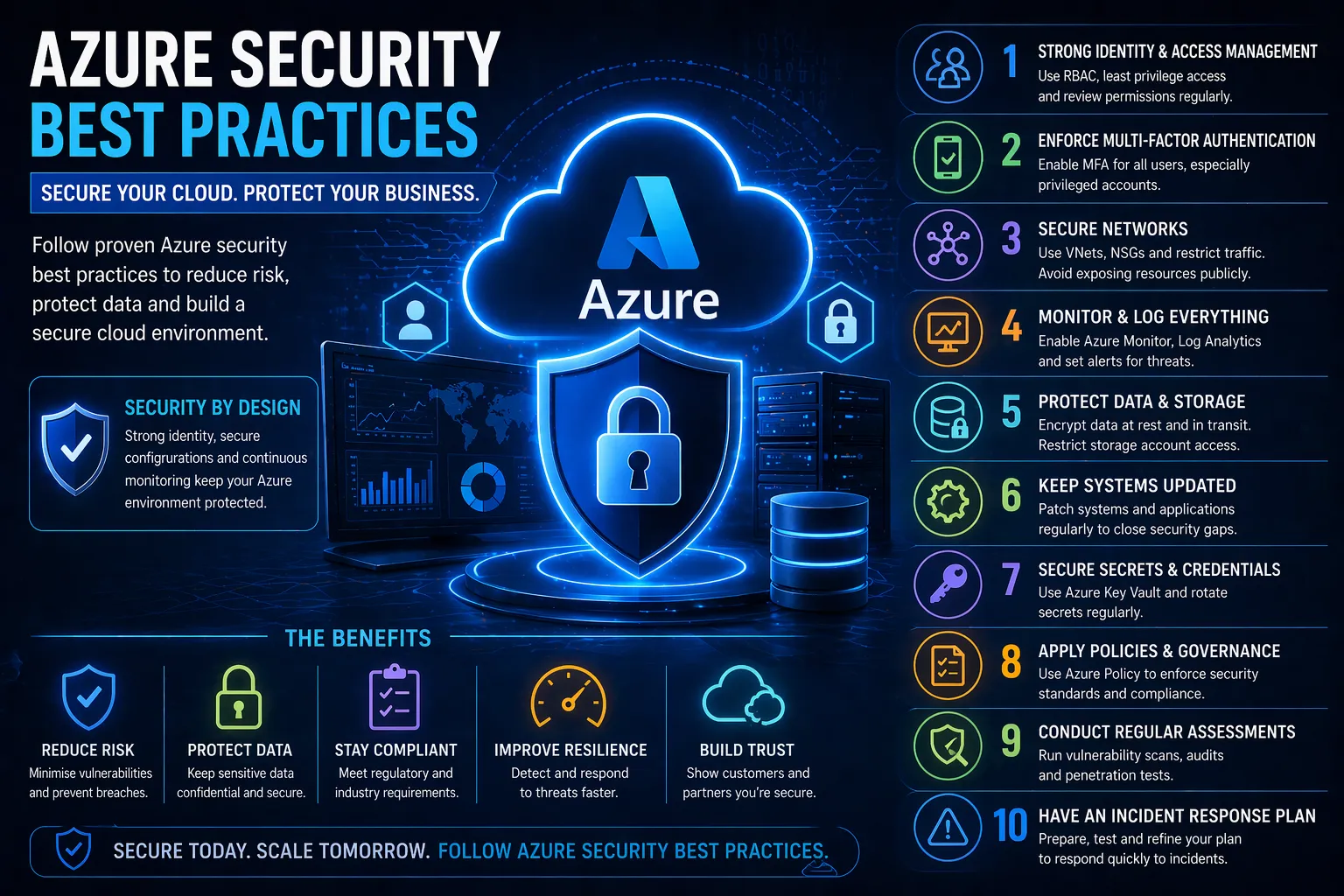
1. Implement Strong Identity and Access Management (IAM)
Identity is the foundation of Azure security.
Best practices:
- Apply least privilege access
- Use role-based access control (RBAC)
- Avoid shared accounts
- Regularly review permissions
Why it matters:
Compromised identities are one of the most common attack vectors in cloud environments.
2. Enforce Multi-Factor Authentication (MFA)
Best practices:
- Enable MFA for all users
- Enforce MFA for privileged accounts
- Use conditional access policies
Why it matters:
Passwords alone are not enough — MFA significantly reduces the risk of account compromise.
3. Use Network Segmentation and Security Controls
Best practices:
- Use Virtual Networks (VNets) to isolate resources
- Implement Network Security Groups (NSGs)
- Restrict inbound and outbound traffic
- Avoid exposing services directly to the internet
Why it matters:
Network segmentation limits lateral movement and reduces attack surfaces.
4. Enable Logging and Continuous Monitoring
Best practices:
- Enable Azure Monitor and Log Analytics
- Use Microsoft Defender for Cloud
- Set up alerts for suspicious activity
Why it matters:
Without visibility, threats can go undetected.
5. Secure Storage and Data
Best practices:
- Encrypt data at rest and in transit
- Restrict access to storage accounts
- Avoid public exposure of data
Why it matters:
Data breaches often result from improperly secured storage.
6. Regularly Patch and Update Systems
Best practices:
- Keep virtual machines updated
- Apply security patches promptly
- Automate updates where possible
Why it matters:
Unpatched systems are vulnerable to known exploits.
7. Protect Secrets and Credentials
Best practices:
- Use Azure Key Vault
- Avoid hardcoding credentials
- Rotate secrets regularly
Why it matters:
Exposed credentials can provide attackers with direct access.
8. Implement Security Policies and Governance
Best practices:
- Use Azure Policy to enforce standards
- Apply compliance frameworks
- Regularly audit configurations
Why it matters:
Consistency is key to maintaining security across environments.
9. Conduct Regular Security Assessments
Best practices:
- Perform vulnerability scanning
- Conduct penetration testing
- Review configurations regularly
Why it matters:
Continuous assessment helps identify risks before attackers do.
10. Develop an Incident Response Plan
Best practices:
- Define roles and responsibilities
- Create response procedures
- Test your plan regularly
Why it matters:
A fast response reduces the impact of security incidents.
How to Improve Azure Security
To strengthen your Azure environment:
- Monitor continuously
- Enforce strong identity controls
- Audit configurations regularly
- Follow security best practices from the start
Cloud security is not a one-time task — it requires ongoing management and improvement.
If you want to ensure your Azure environment is properly secured, integrating these practices into a broader Cloud Security strategy is essential.
Conclusion
Azure provides powerful tools and infrastructure — but security depends on how you use them.
By following these Azure security best practices, businesses can:
- Reduce risk
- Protect sensitive data
- Maintain compliance
- Strengthen their overall cloud security posture
FAQs
What are Azure security best practices?
They include strong identity management, MFA, network segmentation, monitoring, encryption and regular assessments.
Is Azure secure by default?
Azure infrastructure is secure, but customers must configure their environments properly.
What is the biggest Azure security risk?
Misconfiguration and weak identity controls are the most common risks.
How do you secure Azure environments?
By implementing IAM, monitoring, encryption, policies and continuous security assessments.
Leave a Reply