
Category: Application Security

  • What is DAST? Dynamic Testing Explained for Beginners

    What is DAST? Dynamic Testing Explained for Beginners

    Introduction

    Modern applications are constantly exposed to cyber threats — from injection attacks to authentication flaws. While secure coding practices help reduce risk, vulnerabilities can still appear when applications are running.

    This is where Dynamic Application Security Testing (DAST) comes in.

    So, what is DAST, and how does it help secure applications in real-world environments?

    This guide breaks it down in simple terms, explains how it works, and shows why it’s essential for application security.


    What is DAST?

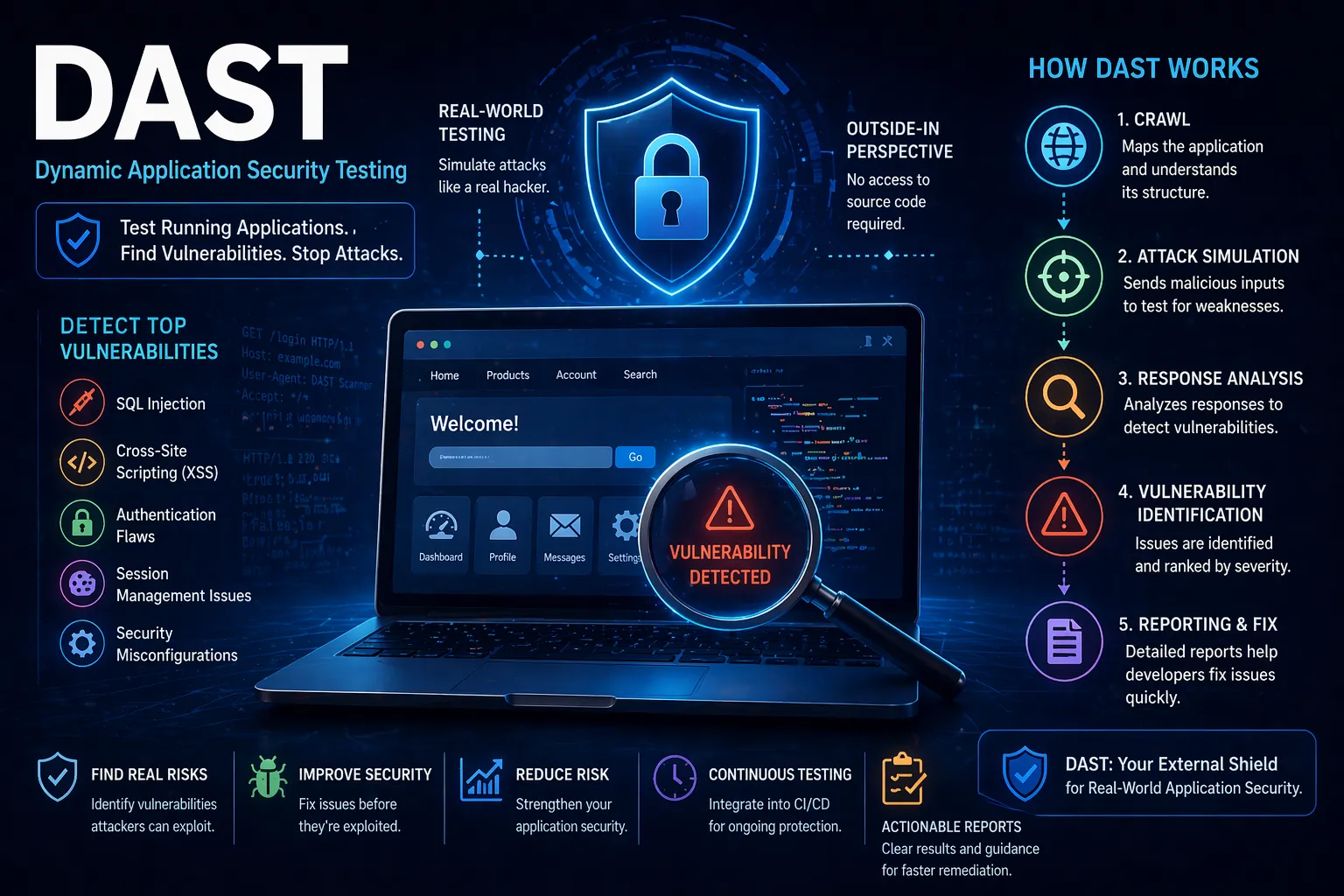
    DAST (Dynamic Application Security Testing) is a method of testing a running application to identify security vulnerabilities from the outside — just like an attacker would.

    Unlike SAST, DAST does not analyse source code. Instead, it interacts with the live application to uncover issues such as:

    • SQL injection
    • Cross-site scripting (XSS)
    • Authentication weaknesses
    • Session management flaws
    • Misconfigured security controls

    DAST is often referred to as “black-box testing” because it tests the application without needing access to the underlying code.


    How Does DAST Work?

    DAST tools simulate real-world attacks by interacting with a live application and analysing its responses.

    Step 1: Application Crawling

    The tool scans and maps the application to understand its structure, pages and inputs.

    Step 2: Attack Simulation

    It sends malicious or unexpected inputs to test how the application responds.

    Step 3: Response Analysis

    The tool analyses responses to detect vulnerabilities such as improper input handling or data exposure.

    Step 4: Vulnerability Identification

    Security issues are flagged and categorised by severity.

    Step 5: Reporting & Remediation

    Detailed reports are generated with guidance on fixing vulnerabilities.


    Why is DAST Important?

    DAST plays a crucial role in identifying vulnerabilities that only appear when an application is running.

    Key benefits include:

    • Real-world testing – Simulates how attackers interact with your application
    • Finds runtime vulnerabilities – Detects issues missed during development
    • No source code required – Ideal for third-party or legacy systems
    • Improves overall security posture

    Without DAST, organisations risk deploying applications with exploitable vulnerabilities.


    DAST vs SAST: What’s the Difference?

    DAST and SAST are often used together, but they serve different purposes.

    DAST SAST
    Tests running applications Tests source code
    Finds runtime vulnerabilities Finds issues early in development
    Black-box testing White-box testing
    No code access required Requires code access

    For best results, organisations should use both as part of a comprehensive security strategy.


    When Should You Use DAST?

    DAST is typically used later in the development lifecycle, including:

    • During staging or pre-production
    • In production (with safe configurations)
    • As part of continuous security testing

    This ensures vulnerabilities are identified before attackers can exploit them.


    Common Challenges with DAST

    While powerful, DAST has some limitations:

    • Cannot identify code-level issues
    • May miss vulnerabilities in untested paths
    • Requires a running application
    • Potential false positives

    These challenges are best addressed by combining DAST with other security testing methods.


    How DAST Fits into Application Security

    DAST is a key component of a broader application security strategy, helping organisations identify vulnerabilities in live environments.

    A complete approach includes:

    • Static testing (SAST)
    • Dynamic testing (DAST)
    • Penetration testing
    • Secure development practices
    • Continuous monitoring

    To fully protect your applications, DAST should be integrated alongside a comprehensive
    Application Security strategy.


    Conclusion

    So, what is DAST?

    It’s a powerful method of testing running applications to uncover vulnerabilities that attackers could exploit.

    By incorporating DAST into your security processes, you can:

    • Identify real-world vulnerabilities
    • Strengthen application resilience
    • Reduce risk before deployment

    For modern applications, DAST is an essential layer of defence.


    FAQs

    What is DAST in simple terms?

    DAST is a method of testing a running application to find security vulnerabilities.

    What types of vulnerabilities does DAST find?

    It detects issues like SQL injection, XSS, authentication flaws and misconfigurations.

    Does DAST require source code?

    No — DAST works without access to source code.

    Is DAST enough on its own?

    No — it should be combined with SAST and other security methods.
  • What is SAST and How Does It Work?

    What is SAST and How Does It Work?

    Introduction

    As organisations increasingly rely on software to power their operations, securing applications during development has become critical. One of the most effective ways to identify vulnerabilities early is through Static Application Security Testing (SAST).

    But what is SAST, and how does it actually work?

    This guide explains SAST in simple terms, how it fits into modern development workflows, and why it plays a key role in application security.


    What is SAST?

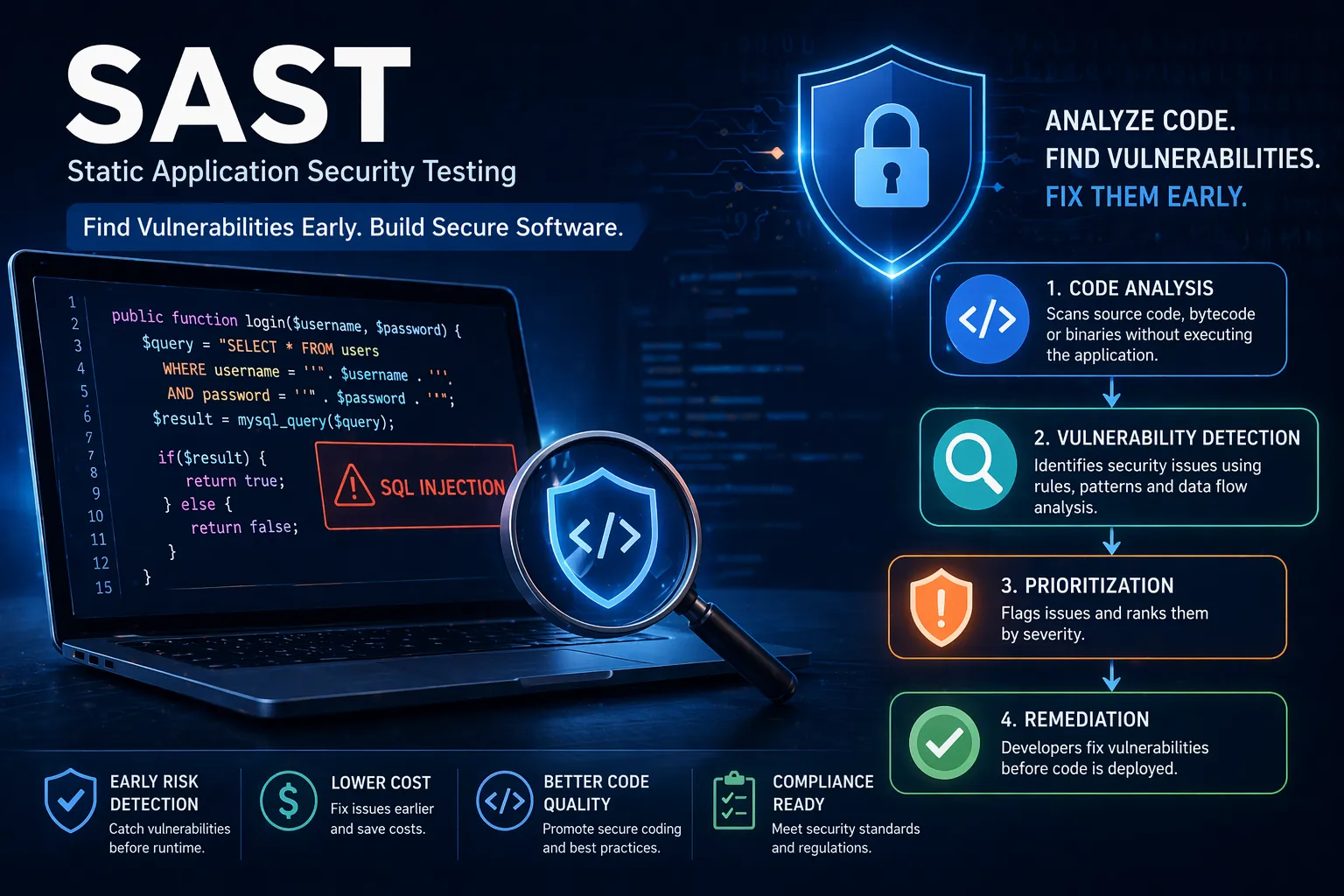
    SAST (Static Application Security Testing) is a method of analysing source code, bytecode or binaries to identify security vulnerabilities without executing the application.

    In other words, SAST scans your code before it runs to detect issues such as:

    • SQL injection vulnerabilities
    • Cross-site scripting (XSS) risks
    • Insecure authentication logic
    • Hardcoded credentials
    • Misconfigured security controls

    Because SAST works at the code level, it allows developers to identify and fix issues early in the development lifecycle.


    How Does SAST Work?

    SAST tools analyse code using a combination of rules, pattern matching and data flow analysis to identify potential vulnerabilities.

    Step 1: Code Analysis

    The tool scans source code or compiled code to understand its structure and logic.

    Step 2: Pattern Matching

    It compares code against known vulnerability patterns (e.g. unsafe input handling).

    Step 3: Data Flow Analysis

    The tool tracks how data moves through the application to identify insecure flows (e.g. user input reaching a database without validation).

    Step 4: Vulnerability Identification

    Potential issues are flagged and categorised by severity.

    Step 5: Reporting & Remediation

    Developers receive detailed reports with guidance on how to fix vulnerabilities.


    Why is SAST Important?

    SAST plays a critical role in modern software development by shifting security left — meaning earlier in the development lifecycle.

    Key benefits include:

    • Early vulnerability detection – Fix issues before they reach production
    • Reduced remediation costs – Cheaper to fix during development
    • Improved code quality – Enforces secure coding practices
    • Compliance support – Helps meet security standards and regulations

    Without SAST, vulnerabilities often go unnoticed until later stages, where they are more expensive and risky to resolve.


    SAST vs DAST: What’s the Difference?

    SAST is often compared with Dynamic Application Security Testing (DAST).

    SAST DAST
    Tests code without running it Tests a running application
    Identifies issues early Identifies runtime vulnerabilities
    Developer-focused Security/testing-focused
    Works during development Works during staging or production

    Both are important — but SAST is essential for catching vulnerabilities before deployment.


    When Should You Use SAST?

    SAST should be integrated throughout the development lifecycle, particularly:

    • During coding (IDE integrations)
    • In CI/CD pipelines
    • Before code merges or releases

    This ensures vulnerabilities are detected continuously, rather than as a one-off activity.


    Common Challenges with SAST

    While powerful, SAST does come with some limitations:

    • False positives – Some findings may not be real vulnerabilities
    • Requires developer understanding – Teams need to interpret results correctly
    • Limited runtime context – Cannot detect issues that only appear during execution

    These challenges are typically addressed by combining SAST with other testing methods and expert review.


    How SAST Fits into Application Security

    SAST is just one part of a broader application security strategy.

    A complete approach typically includes:

    • Static testing (SAST)
    • Dynamic testing (DAST)
    • Penetration testing
    • Secure code reviews
    • Ongoing monitoring

    If you’re looking to strengthen your software security posture, integrating SAST into a broader Application Security strategy is essential.


    Conclusion

    So, what is SAST?

    It’s a powerful method for identifying vulnerabilities early in the software development lifecycle by analysing code before execution.

    By integrating SAST into your development process, you can:

    • Reduce risk
    • Improve code quality
    • Prevent vulnerabilities from reaching production

    For organisations building modern applications, SAST is no longer optional — it’s a foundational component of secure development.


    FAQs

    What is SAST in simple terms?

    SAST is a method of scanning source code to find security vulnerabilities before the application runs.

    What tools are used for SAST?

    Common tools include Checkmarx, Fortify, Veracode and SonarQube.

    Is SAST enough on its own?

    No — it should be combined with other testing methods like DAST and penetration testing.

    When should SAST be performed?

    Ideally during development and integrated into CI/CD pipelines.