
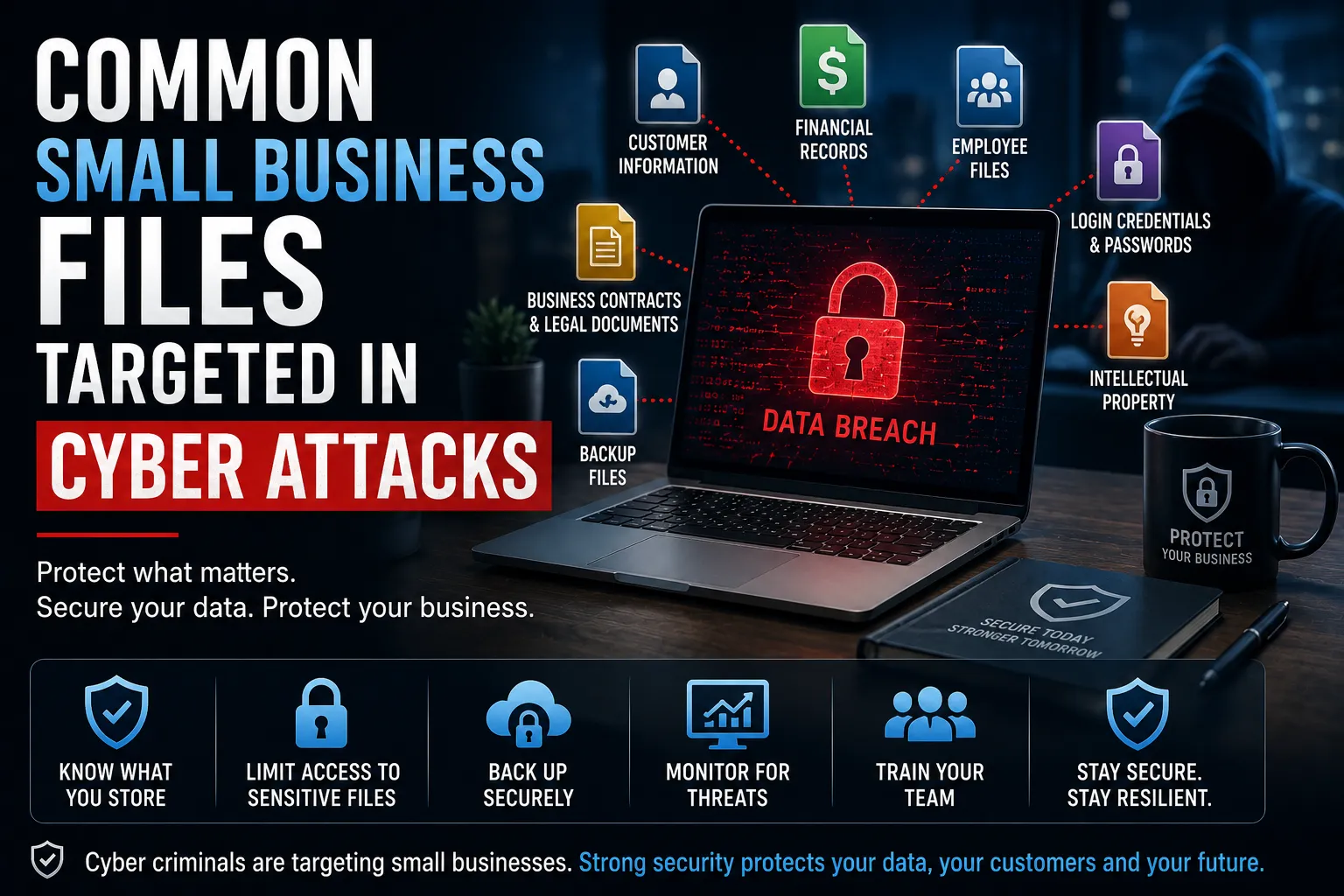
Cyber criminals don’t just target large corporations. Small businesses are increasingly being attacked because they often have valuable information but fewer security controls in place. In many cases, attackers aren’t interested in the business itself—they’re interested in the sensitive files it stores.
From customer databases and financial records to employee information and intellectual property, compromised files can lead to financial loss, regulatory penalties and reputational damage.
This guide explores the most common small business files targeted in cyber attacks, why they’re valuable to cyber criminals and how businesses can better protect them.
Why Small Business Files are Valuable to Attackers
Every business stores information that can be exploited for financial gain, identity theft or further attacks. Even organisations with only a handful of employees often hold sensitive customer, supplier and financial data.
Attackers typically target files that contain:
- Personally identifiable information (PII)
- Financial information
- Passwords and login credentials
- Business contracts
- Intellectual property
- Operational documents
Once stolen, this information may be sold on the dark web, used in phishing campaigns or leveraged to extort businesses through ransomware.
1. Customer Information
Customer databases are among the most valuable assets for cyber criminals.
These files often contain:
- Names
- Addresses
- Email addresses
- Phone numbers
- Dates of birth
- Identification documents
Stolen customer information can be used for identity theft, fraud and targeted phishing attacks. Businesses may also face regulatory obligations and reputational damage if this information is exposed.
2. Financial Records
Financial documents are another high-value target.
Examples include:
- Invoices
- Bank account details
- Tax records
- Payroll information
- Accounting software data
Attackers often use this information to commit financial fraud or launch business email compromise (BEC) attacks.
3. Employee Files
Employee records contain large amounts of personal information that can be exploited.
These files may include:
- Tax File Numbers
- Payroll records
- Superannuation details
- Home addresses
- Employment contracts
Compromised employee information can result in identity theft and payroll fraud while exposing businesses to privacy compliance issues.
4. Login Credentials and Password Files
Saved passwords and credential files are among the first assets attackers look for after gaining access to a network.
These may include:
- Password spreadsheets
- Browser-stored passwords
- Remote desktop credentials
- VPN access details
- Administrator accounts
Once obtained, attackers can move laterally through systems and access additional business resources.
5. Business Contracts and Legal Documents
Contracts often contain commercially sensitive information.
Examples include:
- Supplier agreements
- Client contracts
- Pricing schedules
- Confidentiality agreements
Cyber criminals may use this information for extortion, fraud or competitive intelligence.
6. Intellectual Property
Many small businesses underestimate the value of their intellectual property.
Common examples include:
- Product designs
- Source code
- Marketing strategies
- Research data
- Business plans
Loss of intellectual property can significantly impact a business’s competitive advantage.
7. Backup Files
Ransomware groups increasingly target backup systems before encrypting production data.
If backups are deleted or encrypted, recovering from an attack becomes far more difficult.
Businesses should ensure backups are:
- Regularly tested
- Stored offline or immutably
- Protected by multi-factor authentication
How Attackers Gain Access to Files
Most file theft begins with a relatively simple attack.
Common attack methods include:
- Phishing emails
- Ransomware infections
- Weak or stolen passwords
- Unpatched software vulnerabilities
- Misconfigured cloud storage
- Compromised remote access services
Once inside a network, attackers search for valuable documents before stealing or encrypting them.
How Small Businesses Can Protect Sensitive Files
Protecting business files requires a layered cyber security approach.
Businesses should:
- Restrict access using the principle of least privilege.
- Enable multi-factor authentication for all business systems.
- Encrypt sensitive files and storage locations.
- Maintain secure offline backups.
- Monitor systems for suspicious activity.
- Conduct regular penetration testing and vulnerability assessments.
- Train employees to recognise phishing and social engineering attacks.
Proactive security measures significantly reduce the likelihood of sensitive information being compromised.
How This Fits into Your Cyber Security Strategy
Protecting critical business files requires more than antivirus software.
It should form part of a broader cyber security strategy that includes:
- Penetration Testing to identify exploitable weaknesses
- Application Security to protect business applications
- Cloud Security for securing cloud-based files and storage
- Security Operations for continuous monitoring and threat detection
- Incident Response to contain and recover from cyber incidents
Conclusion
Small businesses store valuable information that cyber criminals actively seek. Customer records, financial information, employee files and intellectual property all represent attractive targets for attackers.
By understanding which files are most at risk and implementing strong cyber security controls, businesses can significantly reduce the likelihood of a successful cyber attack while protecting their customers, employees and reputation.